
3CX V18 to V20 Upgrade: A Practical Guide for Risk-Free Migration

If your business is still on 3CX V18, the safest approach is to move from reactive support to a planned 3CX V18 to V20 Upgrade now. Waiting until a fault, support issue, or compatibility problem forces the decision will usually increase both cost and disruption.
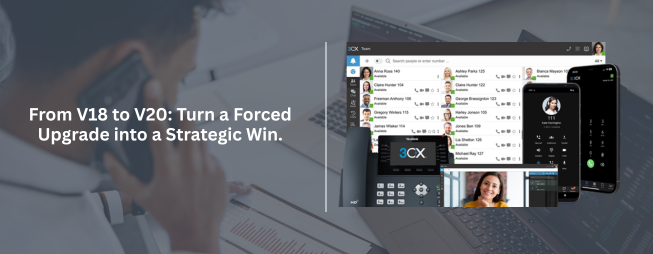
Upgrading to 3CX V20 helps restore support alignment, reduce operational risk, and place your communications platform on a more sustainable footing. For IT decision-makers and purchasing teams, the priority is no longer whether to upgrade, but how to carry out a 3CX V18 to V20 Upgrade with the least risk to the business.
Completing the version upgrade is only one part of the transition. Post-upgrade validation is essential to ensure the platform performs as expected in live business conditions. Teams should review user access, softphone functionality, call routing behaviour, reporting continuity, and any integrated systems connected through APIs or external services. New features should also be configured intentionally rather than left unused after migration.
User enablement matters as well. Even technically successful upgrades can create support noise if employees are not guided through interface or workflow changes. A short onboarding step after deployment can reduce helpdesk load and improve adoption.
When to Use a 3CX V18 to V20 Upgrade Partner
For straightforward environments, internal IT teams may be able to complete the 3CX V18 to V20 Upgrade independently. However, businesses with hosted deployments, customised call flows, compliance concerns, multiple sites, or limited internal telephony expertise should consider using an experienced implementation partner.
A specialised partner can help assess readiness, reduce migration risk, validate dependencies, and support rollback planning if needed. This is often the more efficient route for businesses where telephony downtime affects customer service, sales, or internal operations.
Final Recommendation for Businesses Still Running 3CX V18
If your business is still on 3CX V18, the safest approach is to move from reactive support to a planned 3CX V18 to V20 Upgrade now. Waiting until a fault, support issue, or compatibility problem forces the decision will usually increase both cost and disruption.
Upgrading to 3CX V20 helps restore support alignment, reduce operational risk, and place your communications platform on a more sustainable footing. For IT decision-makers and purchasing teams, the priority is no longer whether to upgrade, but how to manage the 3CX V18 to V20 upgrade with the least risk to the business.
A successful upgrade depends less on the button you click and more on the preparation behind it. Before moving any production 3CX environment to V20, teams should validate readiness across ownership, infrastructure, backup, and testing.
Confirm System Ownership and Administrative Control
Ensure the system has a clearly assigned owner with the right access and recovery authority. This avoids preventable issues during licensing, upgrade validation, and post-upgrade management.
Take a Verified Backup
Create a full and restorable backup before any transition activity begins. A backup is only useful if it has been verified and can be recovered quickly if required. This should be treated as a mandatory step in any 3CX V18 to V20 upgrade plan.
Review Infrastructure and Compatibility
Check whether the current deployment meets V20 requirements across operating system, hosting environment, network configuration, and endpoint compatibility. This step is especially important for businesses with older infrastructure or layered integrations that may be affected during the 3CX V18 to V20 upgrade process.
Test Before Production Rollout
Where possible, validate the upgrade path in a staging or controlled environment first. This helps identify issues with provisioning, integrations, softphones, firewall rules, or user workflows before they affect live communications.
Post-Upgrade Priorities for IT and Operations Teams
Completing the version upgrade is only one part of the transition. Post-upgrade validation is essential to ensure the platform performs as expected in live business conditions. Teams should review user access, softphone functionality, call routing behaviour, reporting continuity, and any integrated systems connected through APIs or external services. New features should also be configured intentionally rather than left unused after migration.
User enablement matters as well. Even technically successful upgrades can create support noise if employees are not guided through interface or workflow changes. A short onboarding step after deployment can reduce helpdesk load and improve adoption.
Planning a Smooth 3CX V18 to V20 Upgrade for Your Business
Upgrading from 3CX V18 to V20 is not just a version change – it is a chance to stabilise your phone system, close security gaps and align with the latest 3CX best practices. By planning the V18 to V20 upgrade with proper backups, tested restore points and clear rollback options, businesses in the UAE can reduce risk and avoid unexpected downtime. Our 3CX specialists help you assess your current V18 setup, prepare the right migration path to V20 and validate calling, call queues and integrations after the upgrade. If you rely on 3CX for daily operations, a structured 3CX V18 to V20 upgrade approach ensures continuity, compliance and long-term supportability. For complex deployments or multi-site environments, getting expert help for your 3CX V18 to V20 upgrade can prevent configuration mistakes and post-migration issues. This makes the upgrade smoother, faster and more reliable for both IT teams and end users.
Frequently Asked Questions:
Why should I upgrade from 3CX V18 to V20?
Upgrading from 3CX V18 to V20 restores full support alignment, improves security, and ensures compatibility with newer operating systems, endpoints, and integrations. It also gives your business access to updated features and long-term platform stability.
How can I minimise downtime during a 3CX V18 to V20 upgrade?
You can minimise downtime by taking a verified backup, testing the upgrade path in a staging or off‑peak window, validating firewall and network rules, and communicating a clear maintenance window to users. Using an experienced 3CX partner can further reduce migration risk.
Do I need a 3CX partner to complete the V18 to V20 upgrade?
Not every environment needs a partner, but businesses with complex call flows, integrations, compliance requirements, or limited internal telephony skills benefit from expert help. A 3CX partner can plan, execute, and validate the upgrade with less risk to live operations.