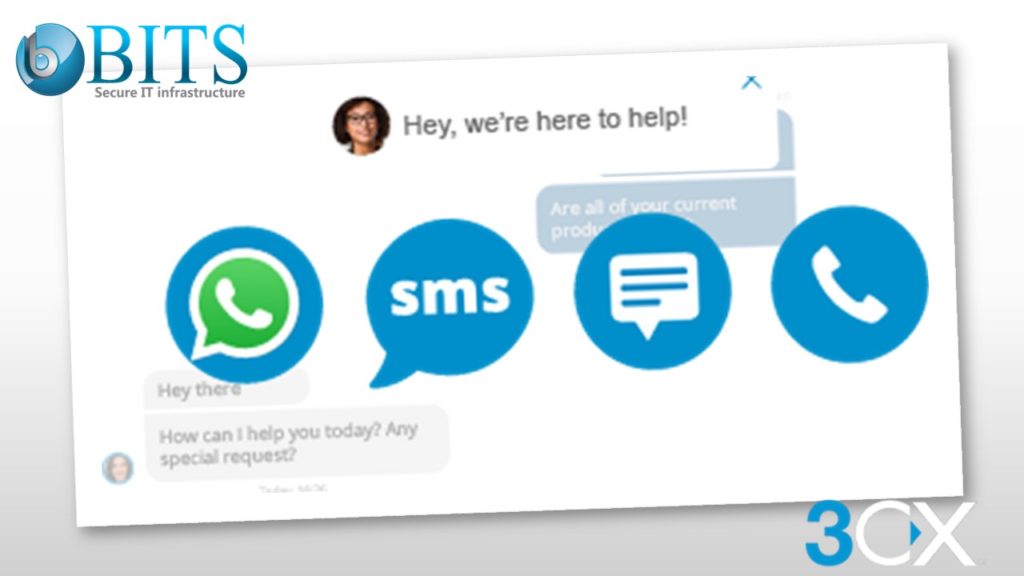
As we know, 3CX never fails to surprise its customers, and they are diligently working on developing, creating, and enhancing the 3CX Live Chat. With the recent release of Version 18 (V18) Update 5 (U5), 3CX has now introduced even more features to the software making it the coolest and most feature-rich, real-time live chat software there is.
This article has listed the customizations and updates that have been bought in the picture in more detail. So, let’s dive straight into those features.
Even Simpler To Set Up
Users that signed up for 3CX StartUP are familiar with setting up their live chat configuration and chat widget since this was included in the registration wizard itself. In case you are an existing 3CX user and want to add the live chat option to your website, it is as simple as following the below mentioned 3 steps:
In the 3CX admin panel, create your chat window configuration.
Next, customize your chat form and chat window settings.
Lastly, just enable it on your website and see your customer service instantly grow and improve.
Doesn’t matter if you are running a StartUP or have a dedicated instance – the 3CX Live Chat guides are tailored in such a way that they are suitable for all kinds of users. So go ahead and enhance your business communications with 3CX!
Match The Styling Of Your Site With 3CX Live Chat!
Your Choice Of Customer Information
The pre-chat survey can capture certain visitor information such as names, contact numbers & email addresses. This can be done by offering multiple options and can be viewed through the live chat contact information. Upon selecting ‘Information’ in the 3CX client, agents can see these details. This information can later be used to share information or follow up on any potential customer interest.
Fully Customizable Colors
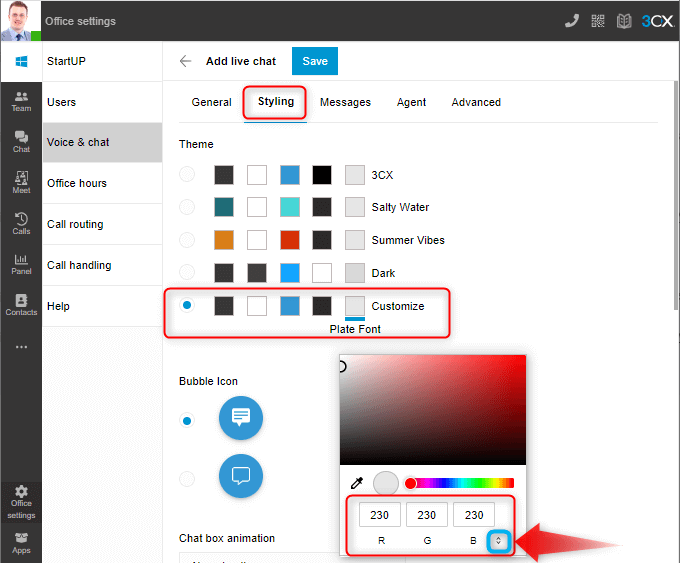
Website themes are so varied and different these days. Even placing a little chat bubble that doesn’t match the site’s theme affects its overall visual appearance to a very large extent. That is where the new 3CX live chat styling options come in! It offers 4 different template color schemes with fully customizable options
Text Colors
Chat Icon Colors
Background Colors
Welcome Screen Colors
You can use the color picker or simply enter your RGB, HSL, or HEX codes. If you wish to swap between the code options, click the “up/down” arrow highlighted in the blue box. No matter what information you have, you can always match the styling of the bubble to your brand identity.
Choice Of Bubbles
3CX strongly believes that your live chat represents your business which is why the team is working tirelessly to bring as much customization to your fingertips as possible, including the chat button that your live chat widget shows. Version 18 – Update 5 now offers 3 different bubble icons. So, you can choose as per your wish.
Fancy Yourself As An Animator? 3CX Is Your Sky!
How about setting up some animation for your live chat box? 3CX lets you customize your chat in the best way possible to me your customer conversations livelier. You can choose from 4 animation options –
Slide up
Slide from the side
Fade in
No animation
Avoid That “Generic” Feel – Make Your Greetings Lively!
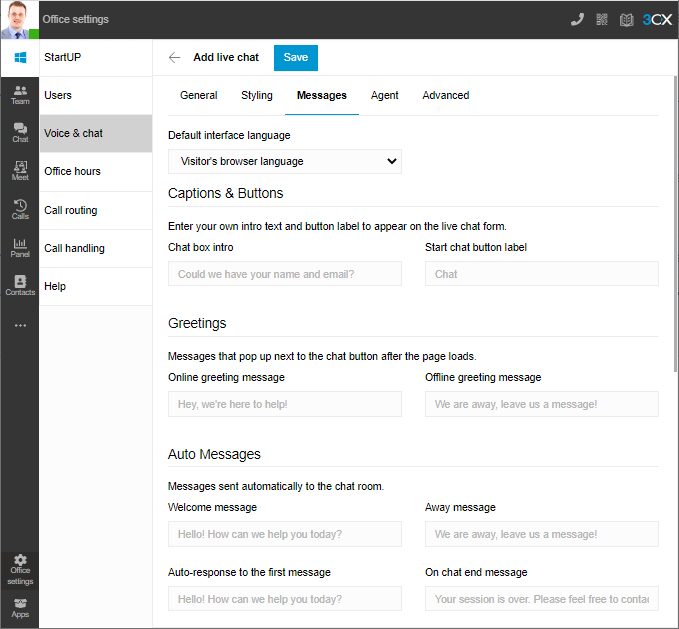
At times the live chat greetings can feel ‘stale’ or ‘robotic’. At 3CX, we try to buck that trend with our default greetings but at the same time, we also know that every person is different. This is why 3CX gives you an option to now set up your welcome message and other greetings that are triggered at different stages of a conversation. Not only that but depending upon the tone of your website content, you can also adjust the greetings to match your style of writing thus enhancing the overall customer experience.
Shield Your Customer Support Agents’ Identities
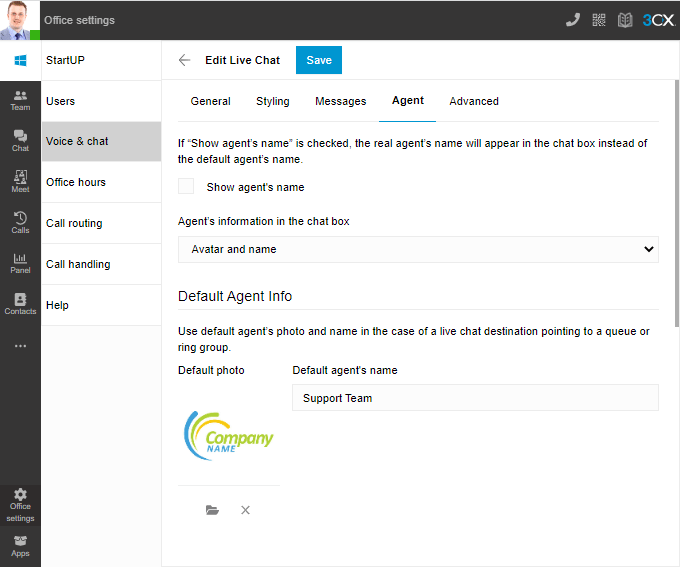
Companies may not want to allow their business agents’ names to be displayed to a visitor of their website to avoid any repercussions. As a solution, 3CX allows you to choose a ‘default agent’ that can be set up so that the visitor only sees the name as ‘support team’ or whatever you decide to set it as. This feature not only shields your customer support agents’ identities but also has far-reaching benefits that include creating live chat instances for groups of users.
Live Chat Styling – Get Going Today!
Boost your lead generation for free using the chat customization features of 3CX Live Chat and check out our guide to help walk you through getting your live chat set up easily and in no time.
Bits Secure IT – Your 3CX Partner in Dubai
Bits Secure IT Infrastructure LLC is a leading and award-winning platinum partner of 3CX in the UAE and Oman regions with certified and highly skilled engineers who can help achieve your requirements on 3CX deployment, softphone, desk phones, video conferencing, 3CX PBX, 3CX SBC, 3CX Gateways, and complete unified communications solutions. Contact our support team now if you need assistance with the 3CX V18 Update 5 or 3CX Live Chat customizations.