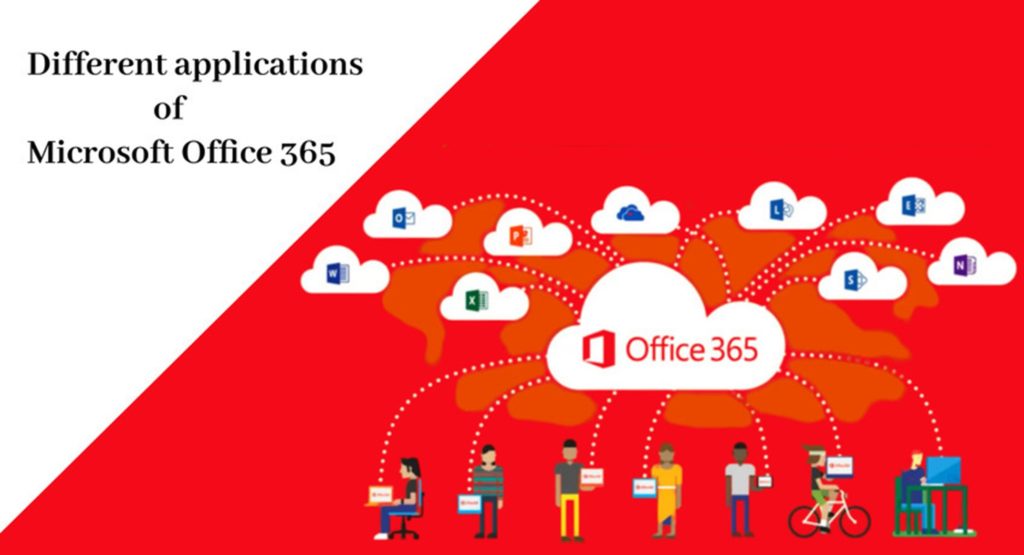
All Microsoft 365 Apps and Plans
Standalone Tools:
1. Microsoft Whiteboard–
This is a Whiteboarding tool that can be downloaded on IOS and Android and becomes a very simple way to start collaborating with others in real-time.
2. Microsoft Editor-
Microsoft Editor is a Grammarly-like competitor that can be used on Chrome, be installed there, and comes inside of the Family and Personal Plans.
3. Microsoft Project-
Microsoft Project allows you to do project management, a very good quality project management application with plenty of Gantt chart abilities all within Project.
4. Microsoft Visio-
So, if you’re looking to draw some diagrams and flowcharts, then Microsoft Visio is going to be the application for you. This is very similar to Microsoft Whiteboard, allowing you to create these great flowcharts and visuals that make your and your team’s meeting a little bit stronger.
5. Microsoft To Do-
One of the Microsoft applications, that’s grown very rapidly, is Microsoft To Do.
Plans:
Family and Personal Packages:
So Family and Personal 365 plans are new, they include the relevant Office Tools, like PowerPoint, Word, Excel, and OneNote. Within this, you can also get Outlook and Publisher via a PC-only link. Additionally, you can get Access, Microsoft Access which is a Database Management Tool, in PC access only through the Family Personal plan, there as well, you do get the access to Skype and OneDrive. which gives you data and storage for your files. So, both the Family and the Personal Plan include all these applications, and giving you licenses and access to these downloadable ones, makes it easier to get work done
1. Business Basic Plan:
In this plan, you can only access the online versions, but you do get access to Microsoft Teams, SharePoint, Exchange, and OneDrive. So, you do get access to some services in a very basic format.
2. Business Expander Plan:
So inside of the Business Expander Plan, you get access to all these applications here, which does make it easier to manage your Microsoft Account. The real changes happen when you get Business Premium.
3. Business Premium:
You do get access to Azure Protection Information, and Intune as well.
4. Enterprise Plan:
Now if you’re looking for the full package, inside of the Enterprise Plan you get a range more, including all these applications mentioned above. Inside of the Enterprise Package, you do get something called Yammer.
- Yammer – This is almost like a social network feed for you and your team. It works slightly different from Teams, in allowing you to post conversations and feed, a little bit like having Facebook for the office. You also get access to Sway.
- Sway– This allows you to create presentations and demonstrations all inside of the applications, like a bit more of an advanced PowerPoint. Stream is also available through Enterprise.
- Stream– This gives you essentially YouTube-like access and creates and uploads your videos.
- Planner– It allows you to create boards and manage cards inside it.
- Power BI Pro & My Analytics– If you and your team want to deeper inside your data.
- MileIQ- This is a way to track your mileage on the go, and it can be used as a standalone application.
- Microsoft Fluid: It will allow you to take elements from Word, from Excel, for example, tables, and PowerPoint slides, but also make them more interactable like Elements that work across these applications. So, folks that were an overview of all the Microsoft 365 tools, hopefully, that was helpful.
Bits Secure IT Infrastructure LLC is an authorized partner for Microsoft Office 365 in the UAE region. With our team of expert and certified engineers, we can design the perfect solution to suit your business needs and offer an affordable implementation. Enquire now!